skip navigation


Durham Tech Logo
Certification Classes Graphic Design Web Page Design Microsoft Classes Senior Adults HRD Classes Ed2Go Online Courses

Students who want to save their work from computer courses should bring a USB flash drive to class. Please review the information about textbooks and registration procedures before attending class.

Computer Training
Certification
A+ Certification Preparation – Hardware and Software

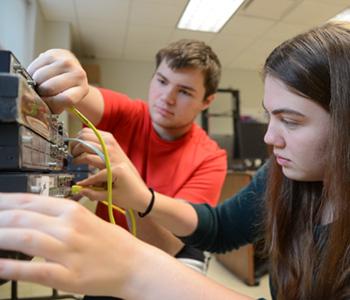
This course covers the basic hardware and software of a PC, including operations and interactions with peripherals. Hardware topics include component identification, the memory system, peripheral installations and configuration, preventive maintenance, diagnostics, and repair. Software topics include how to install device drivers, resolve resource conflicts, and configure and optimize operating systems. PC Fundamentals or equivalent experience is recommended. A+ Certification All-in-One Exam Guide, 8th Edition by Michael Myers is the required textbook. 48 hours. $129

36240 Sat 6/1–8/24 9 a.m.–1 p.m. NEWT 427
36239 TTh 6/4–8/27 6:30–8:30 p.m. NEWT 427


Graphic Design
Introduction to Adobe Illustrator CS5

Explore CS5’s new perspective drawing tools, variable-width strokes, and vector bristle brushes. Master the pen tool, discover the anatomy of beziers, and learn how to draw and fine-tune contours. Apply color and transparencies; import images; and create type, brushes, and patterns. Explore the gradient mesh tool and special effects. Excellent keyboarding and word processing skills are recommended.Adobe Illustrator CS5 Classroom in a Book (Paperback) by Adobe Creative Team, ISBN # 978-0-321-70178-7 is the required textbook. 36 hours. $129

36234 Th 5/23–8/8 10 a.m.–1 p.m. CEC 607

Introduction to Adobe Dreamweaver CS5

Create websites using Dreamweaver, the industry’s top software web editor. Topics include a short introduction to HTML, layout techniques using Cascading Style Sheets, site navigation, graphics using Adobe Fireworks, and site management. Excellent keyboarding and word processing skills are recommended. Adobe Dreamweaver CS5 Bible, by Joseph W. Lowery, ISBN # 978-0-470-58586-3 is the required textbook. 36 hours. $129

36237 W 5/22–8/7 10 a.m.–1 p.m. CEC 607

Introduction to Adobe Photoshop CS5

Discover CS5’s new Content-Aware features. Explore a variety of graphic and retouching tools available with Photoshop. Create selections, masks, and layers and work with different file formats and image resolutions. Excellent keyboarding and word processing skills are recommended. Textbook required. 36 hours. $129

36271 T 6/4–8/20 10 a.m.–1 p.m. CEC 607

Microsoft Day Workshops
Held at The Small Business Center in downtown Durham
Introduction to Excel 2010 Workshop

Explore Microsoft Excel 2010 using hands-on, skills-building exercises. View, create, format, and print spreadsheets and workbooks. Develop and update formulas and work with built-in functions. Produce, edit, and customize charts. Textbook included. Basic competency in word processing is recommended. (Because this course is self-supporting, no tuition waivers or exemptions are allowed.) 6 hours. $95

36236 Th 6/13 9 a.m.–4 p.m. SBB 310

Microsoft Courses
Office 2007: Word, Excel, PowerPoint, and Access

Learn the fundamentals of the Microsoft Office Suite. Format documents with Word, develop spreadsheets with Excel, design PowerPoint presentations, and create an Access database. Basic computer and keyboarding skills are recommended. Textbook required. 24 hours. $74

36265 T 5/21–7/9 5:30–8:30 p.m. CEC 607

Office 2010: Word, Excel, PowerPoint, and Access

Discover the new features available with the latest version of Microsoft Office Suite. Edit your pictures with Word's enhanced picture editing tools, insert Excel graphs in single cells, and edit videos in PowerPoint. Basic computer and keyboarding skills are recommended. Textbook required. 24 hours. $74

36282 Th 6/20–8/15 5:30–8:30 p.m. TECH 976

Senior Adult Computer

These hands-on courses are informative and enjoyable. Create cards, newsletters, and flyers; send emails and pictures to family and friends; search the Internet for information about any topic; or develop or enhance your computer skills to stay current in today’s job market. These courses are designed for senior adults but are open to anyone age 18 or older. NC residents 65 years and older are exempt from the tuition charge. A $5 lab fee is charged for courses held at Durham Tech locations. All students must pay lab fees. For more information, call 919-536-7236, ext. 4010.

Computer and Internet Essentials for Senior Adults

This leisurely-paced course introduces you to what you need to connect and engage with family, friends, and your community. You’ll discover the world of email, share photographs, shop and bank online, find reliable health care information online, read e-books, listen to music online, and surf the web. Keyboarding or equivalent experience recommended. Textbook required. 24 hours. $74 ($69 DCSL)

36272 T 6/4–7/23 9 a.m.–noon DCSL Lab
36279 Th 6/6–8/1 9 a.m.–noon DCSL Lab

Web Page Design
Web Page Design

Students plan, design, create, and publish a working website. Topics include text editor, interface design, HTML, graphics, and site management. Skills are introduced through structured exercises and applied through individual creative projects. Keyboarding and word processing or equivalent experience recommended. Web Page Design with HTML/CS5 by Alec Fehl, ISBN # 978-1-59136-129-9 is the required textbook. 36 hours. $129

36238 T 5/21–8/6 2–5 p.m. OCC 208
36235 W 6/5–8/21 6–9 p.m. CEC 607


Back to Noncredit Course Offerings


Durham Technical Community College
1637 Lawson Street
Durham, NC 27703
919-536-7200

Copyright ©Durham Technical Community College. All Rights Reserved.
Privacy Policy l Conditions of Use