

Database Highlight: Films on Demand
The database Films on Demand may already be familiar to many Durham Tech faculty and students who love the wide variety of video content available on the platform. If you have never explored Films on Demand or feel like YouTube gets the job done, consider the advantages of using Films on Demand:
Films on Demand offers:
- Connections to other library resources, where students can discover related academic content
- Professionally produced content with citation tools
- Visual learning tools to expand understanding and context
- Specialized collections such as technical education and nursing
- Easy embedding into Canvas for students and instructors alike!
Films On Demand recently got a visual upgrade, so let us introduce you to some of the crucial new features and visual refresh with this post:
You can access Films on Demand by visiting our A-Z list of databases on the library's website. When accessed from off campus, you'll be asked to login with your Durham Tech username and password. Once you're logged in, you'll see a handy bundle of video collections that offer some of our specialty video bundles, such as the Master Career & Tech Ed and the Nursing Current Concepts and Practices collections.
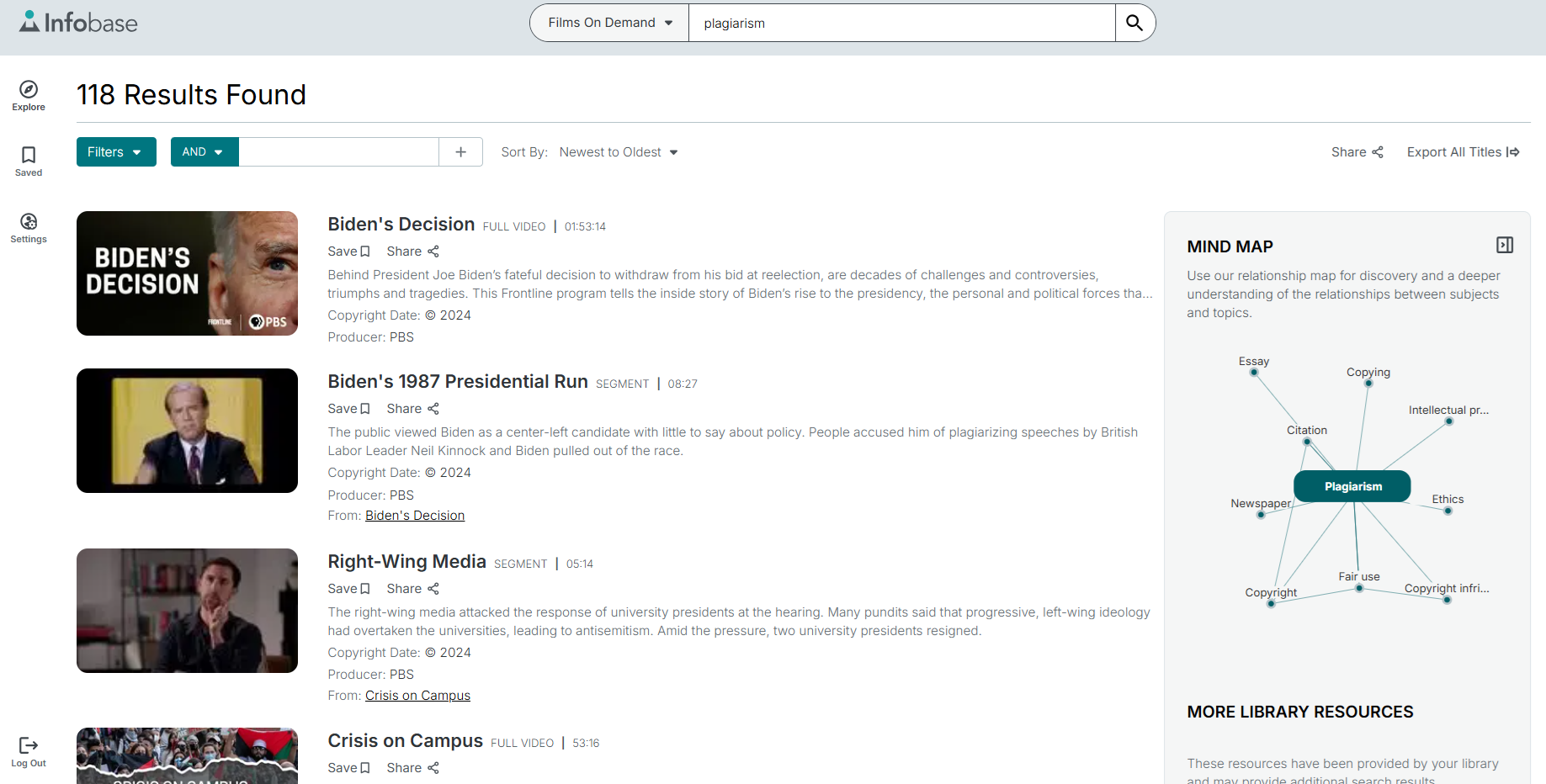
You can also explore videos by browsing subjects, producers, or through general and advanced searches. Looking at an example searches for “plagiarism” related videos, we can see that not only do we get relevant video results, but also related learning tools such as Credo’s Mind Map tool that expand learning tool options for the topic you’re looking for.
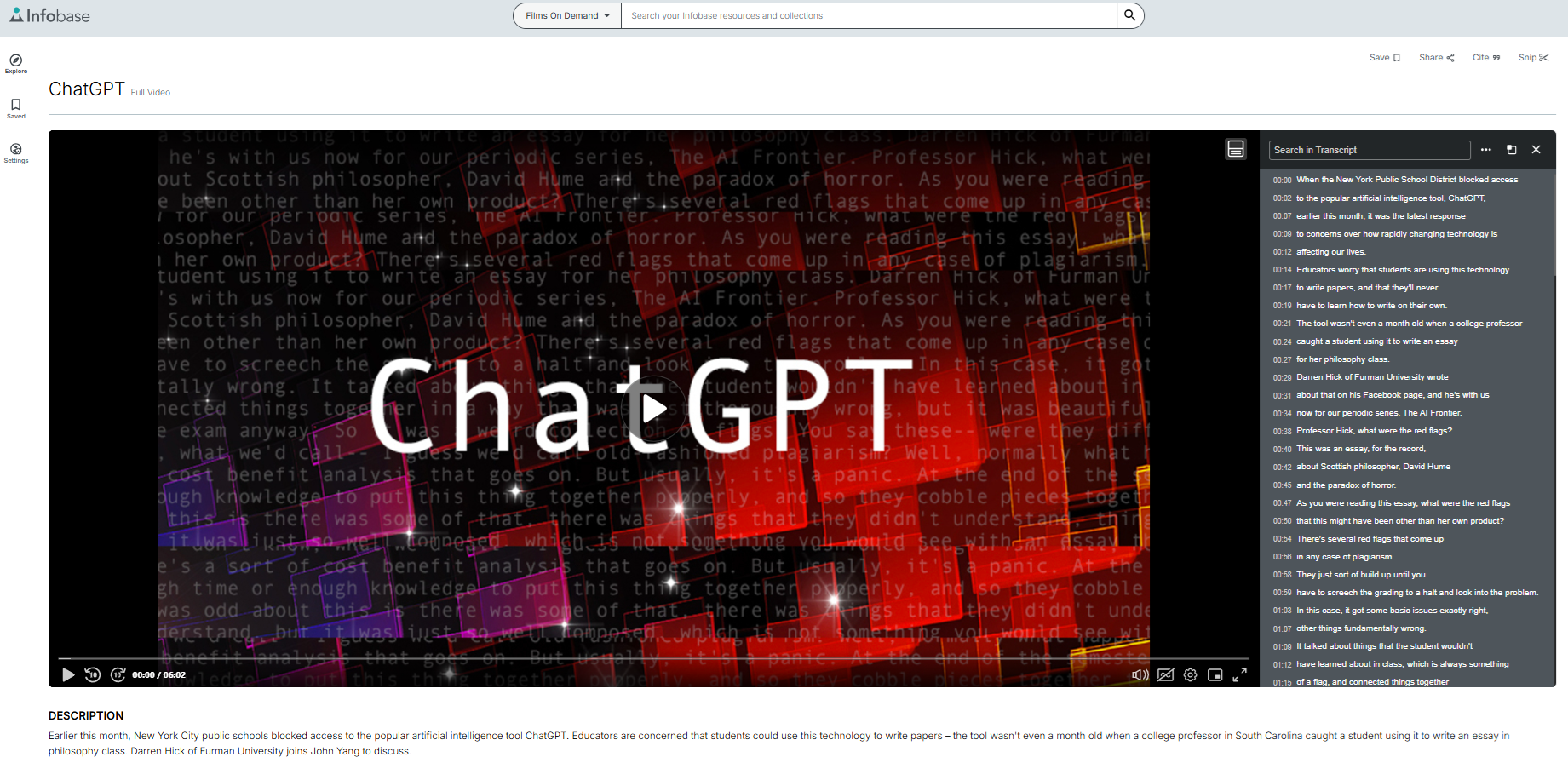
Once we find a video for our search, clicking on it takes us the video player, which offers a transcript of the video, buttons for linking or embedding the video into Canvas, a citation tool for students, and a snip tool that allows users to easily take a specific clip from a video and save it (if logged in) or copy a URL to that snippet, like this clip from a video on ChatGPT.
These tools make it easier to quickly share small bits of video content with your course, or for students to use in their assignments.
What if you want to embed it directly into a module on Canvas?
On the top right of every video, there’s a button for “share.” Click that to see an option called “Embed.” You’ll then be given three size options, small, medium, or large, and a small bit of code that you simply copy. Then, once you’re in Canvas and editing a page, click the menu option Insert and then select Embed and paste the code there. My embed of the video above is now embedded in my canvas module:
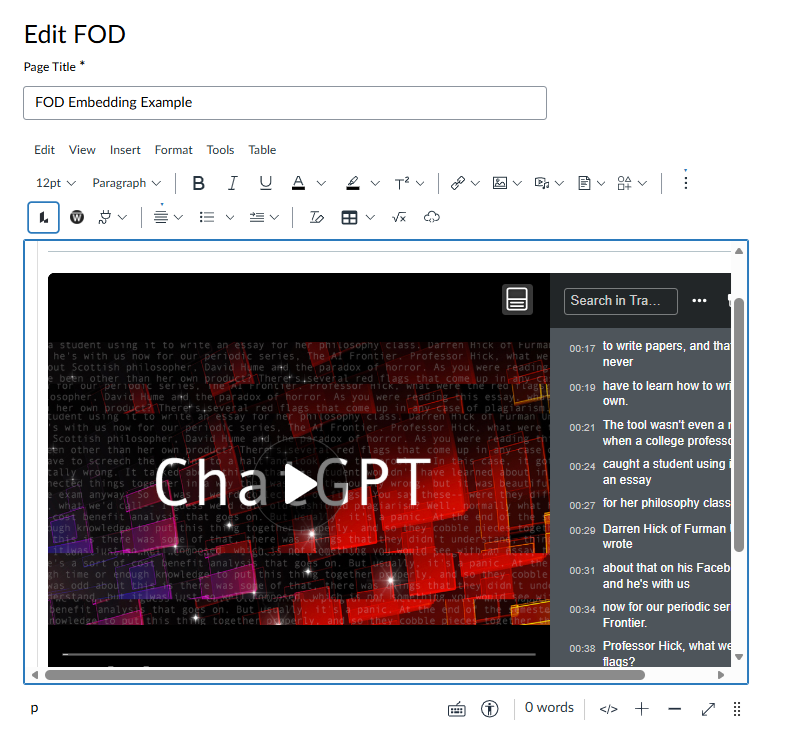
Easy! While you don’t have to create an account to use Films on Demand, registering for one allows you to better curate a collection of saved videos you might want to use again in the future. You can even get custom emails of content related to your specific interest when new videos are added to the platform. You can also quickly switch between the reference platform Credo and Films On Demand while researching, saving and bookmarking all with the same account.
Enjoy the new look and features of Films on Demand today. Introduce your students to a new engaging video or just enjoy a new HBO documentary without navigating around intrusive ads or untrustworthy sources.
Need help with this resource? Whether you’re teaching or learning (or doing a bit of both!) you can always email the library at library@durhamtech.edu.